Study Findings
ONPAR Community NGSS Brief – Actionable Assessment for NGSS Classrooms
What did we learn from our research?
Over nearly two years of our study we learned about the challenges and success participants encountered trying to incorporate ONPAR in a way that contributes to assessment for learning. In this issue we share some of the tips and tricks we learned that may be applicable in your classroom.
How do I get started using ONPAR in my classroom?
- Integrate ONPAR into your formative assessment routines. Connect it to classroom learning goals.
- Start with a mini or paper task. The mini task in particular is a good introduction to ONPAR because it is shorter and provides students with immediate feedback to revise their answer, helping them navigate different ONPAR question types.
- Work in in pairs or small groups. Students can support one another as they learn the new format and compare the feedback they get from answering questions in different ways. This helps build trust in one another to support learning, rather than relying on the teacher.
My students struggle with all the choices in ONPAR. How do I help?
- Be intentional about introducing difficult screens. Demonstrate part of the task for students to clarify or scaffold what you know may be a struggle. Some teachers ask students to stop working and wait for the whole class when they arrive at a predetermined screen so the class can talk through it together.
- Limit the choices. Filling in one box on a screen can help students get started when they are stuck.
- Once students understand that there can be more than one correct answer, leverage the choices for deeper learning. Students can compare answers and debate if they are right or not, learning to justify what they think to others.
How can I balance the need for assessment data from individual students with the benefits of collaborative learning with ONPAR?
- Use discussion partners. Students can submit the task independently but work alongside a discussion partner. The teacher can walk around and listen to student discussion and struggles, then plan for targeted interventions with small groups or the whole class.
- Plan discussion afterward. After students are done, share responses that have more than one correct response with a white board gallery walk or project a screen for whole class discussion. Scaffold this process to build student trust and confidence in sharing ideas and teach them how to constructively critique one another’s answers.
- Use peer evaluation. With paper tasks, use the rubric for peer evaluation. Students may ask more specific questions, challenge the correctness of a response and debate how the task is graded.
Look Inside: Ice Cream Investigation
How can I use “Ice Cream Investigation” to introduce my students to ONPAR?
We’ve found that mini tasks are a low-stakes way to introduce students to ONPAR. “Ice Cream Investigation,” from our Particle Nature of Matter unit, is accessible regardless of what unit you’re teaching. You can gauge student familiarity with asking questions and conducting investigations while they learn how to interact with the system. Watch the video for strategies for using “Ice Cream Investigation” for the first time.
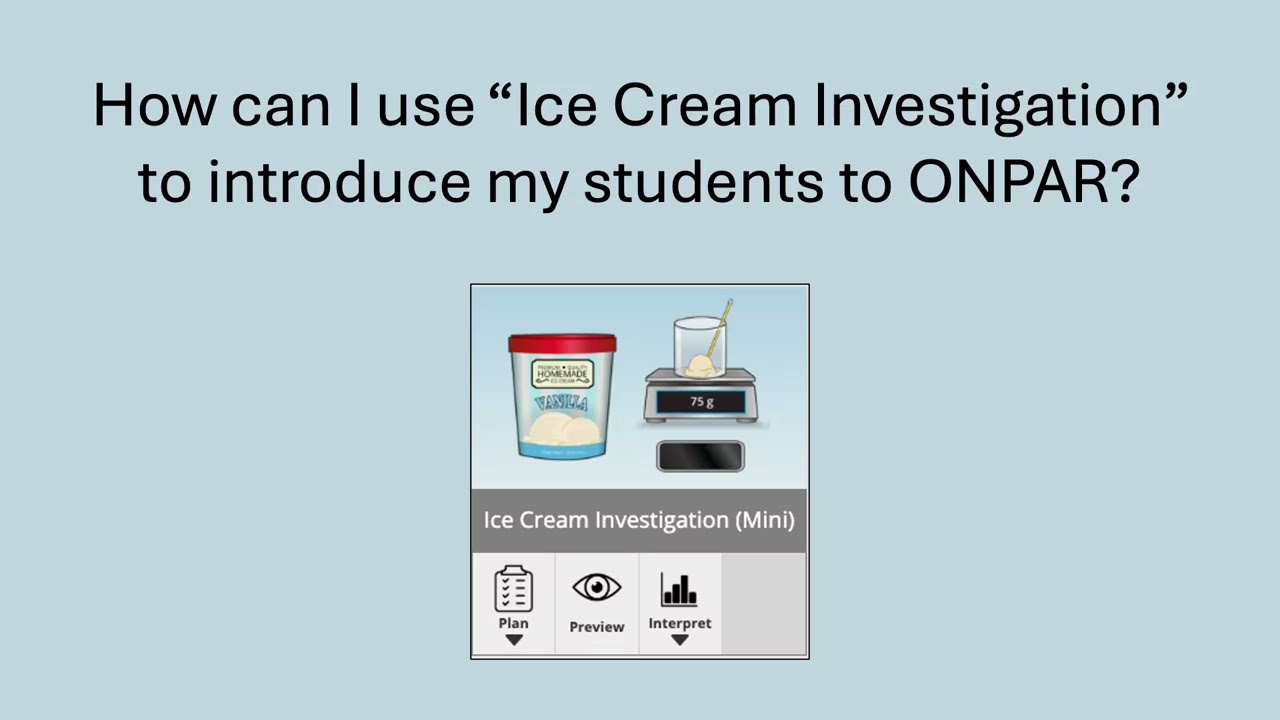
Our teachers appreciate mini tasks for the immediate feedback and multiple chances to revise, empowering students to try out new ideas and make a decision about what to do next. Some students even requested more attempts at a screen to keep working toward a better answer! Teachers have also said that the feedback builds students confidence, reduces reliance on the teacher, and frees up their time to listen to student discourse.
More Lessons Learned
What strategies do teachers use for re-assessment?
After acting on formative assessment data, you might want to re-assess a concept or skill. Here are a few strategies our teachers used:
- Retake the task: Use the retake feature on mini and extended tasks to give students another chance at the same task. If the first attempt was in pairs, then re-assess individually, or vice versa. (Note: An ONPAR retake applies to the whole class, even if a student was absent for the first try. On mini tasks, you are not able to see the original report after activating the retake.)
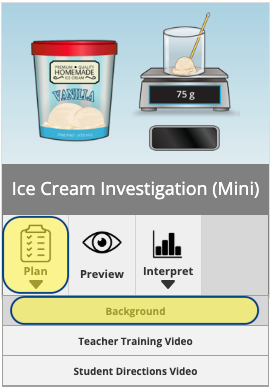
- Assign a related task: Screen formats are often repeated between mini, extended, and ONPAR review tasks so you can reassess the same concept in a new context. The “Background” section of the Teacher’s Guide (see image) describes these connections.
- Redo one screen: Instead of a full task, pick one key screen and print a blank copy to use as an exit slip or warm up. Models may be easier to draw and label on paper or a whiteboard and offer the opportunity for writing an open-ended explanation about their model.
Updates
Training Materials: Are you interested in piloting new ONPAR Training Materials? We’re offering opportunities for paid reviewers to provide feedback next school year. Whether you’re a novice, need support on new-to-you tasks, or looking to deepen your work with ONPAR assessments individually or as a team, please contact us by replying to this email.
ONPAR Tips: Do you want to share your experience with ONPAR? Reply to this email with a short explanation of a way you’re leveraging ONPAR in your classroom to be included in a future newsletter.
ONPAR Updates: This summer we will be releasing new paper tasks to the ONPAR portal and continuing to update classroom reports for extended tasks. Look for these changes when you return to school in the fall!
Support for this project comes from the U.S. Department of Education, Education Innovation and Research (EIR) Grant Number S411C220116, Laura Wright, Principal Investigator, Linda Malkin, Co-PI.